Home · The Ordane Journal · Before you pay · TradingView Prop Firms: Direct Integration Guide
TradingView Prop Firms: Direct Integration Guide
TradingView prop firms use three documented integration models: direct execution through an OANDA Broker Profile, activation through a Tradovate add-on, or TradingView access included in the firm’s plan. Two named examples are FTMO, which supports direct execution of simulated trades, and My Funded Futures, which requires add-on activation before connecting.
This article is for information only and is not investment, financial, or tax advice. Ordane accounts operate on simulated capital. No live funds are traded and no deposits are accepted. Payouts depend on simulated performance under Rulebook v1.4; no level of performance is typical or assured.
What is a TradingView Prop Firm?
A true TradingView prop firm establishes a native, bidirectional connection between the charting platform and the underlying broker execution environment: the trader authenticates brokerage credentials inside TradingView, and simulated orders execute on the backend without third-party bridges. Some firms simply license web charting libraries to embed basic charts into their own proprietary web dashboards, meaning you cannot log into the main desktop or mobile charting application. In contrast, a fully integrated firm allows external connection directly into the primary application.
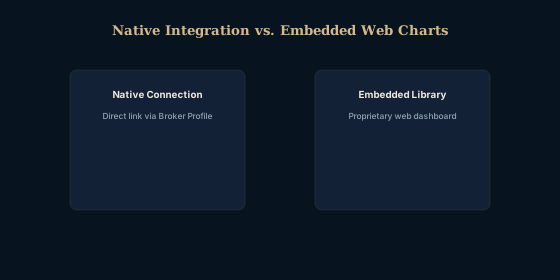
A propfirm tradingview bridge refers to third-party software that transmits signals from TradingView charts into a separate broker terminal, whereas native integration routes orders directly from the chart interface to the execution server. Native integration eliminates this middle step. Since these accounts operate in simulation, understanding how a prop firm demo account works can clarify why the underlying data feed mapping is so critical.
TradingView's native broker connection supports creating and managing orders directly from Supercharts, allowing traders to adjust entry points, stop losses, and profit targets visually without opening a separate execution terminal. This means the charting interface acts as the complete operational hub for the entry, modification, and closure of simulated positions (TradingView Official, retrieved 2026-09-27).
| Platform | Where it operates | Integration Type |
|---|---|---|
| TradingView | Charting | Requires native broker credentials |
| Tradovate | Futures execution | Compatible broker backend |
Can You Actually Execute Trades on the Charts?
Traders can execute and manage simulated orders directly on the charts when the firm supports native broker integration: a stop-loss line dragged on the chart transmits a modification command straight to the execution server, which is what separates a native link from a third-party bridge. Visual order management allows traders to see exact price levels, liquidity pools, and technical structures immediately adjacent to their active working orders.
Direct Order Management
FTMO supports direct execution of simulated FTMO trades on TradingView through the OANDA Broker Profile (FTMO.com, retrieved 2026-09-27), the same execution model compared in Ordane versus FTMO. Because the interface is natively integrated, modification requests are transmitted without requiring the trader to calculate the exact pip distance or price value manually. For related reading about how execution dynamics function regarding simulated stops, you can review the mechanics of a prop firm stop loss slippage buffer.
Evaluation Phase Execution
Eightcap lists TradingView among the platforms available for its simulated trading challenges (Eightcap Challenges, retrieved 2026-09-27), and Finance Magnates reported that eligible Eightcap clients can run the firm's evaluation product directly from TradingView's interface (Finance Magnates, retrieved 2026-09-27). This allows participants to maintain their established charting workflow during the assessment period rather than adapting to a new terminal.
What Are the Hidden Rules of the Connection Setup?
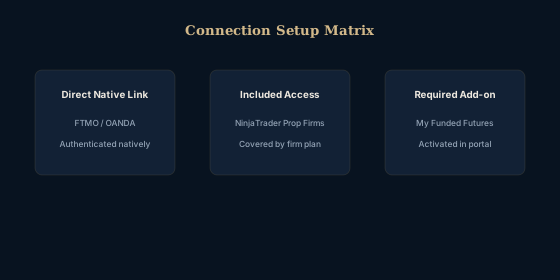
My Funded Futures requires traders to activate the TradingView add-on in Tradovate before connecting through TradingView (My Funded Futures Help Center, retrieved 2026-09-27). The same firm-by-firm reading applies when you audit a prop firm before paying: the connection terms are part of the written model. You cannot simply log in with your standard credentials and expect the integration to work automatically.
Underlying Brokers
The choice of data feed dictates the connection. For supported NinjaTrader Prop firms, TradingView access for evaluation and prop accounts is included in the firm's plan rather than charged as a separate subscription. The specific routing infrastructure determines exactly what instruments are available to trade and which execution model governs the simulation.
As part of your due diligence regarding firm operations, you must verify the structural reality of the firm's business model. Researching where prop firm payout money comes from provides context for evaluating the stability and operational longevity of the provider offering the charting connection.
| Integration Feature | Cost Structure | Market Approach |
|---|---|---|
| Required Add-on | Activated in portal | My Funded Futures |
| Included Access | Covered by firm plan | NinjaTrader Prop Firms |
| Direct Link | Authenticated natively | FTMO / OANDA |
| Broker Environment | Native Support | Charting Application Type |
|---|---|---|
| Tradovate | Yes, via add-on | Desktop & Web |
| OANDA | Yes, direct link | Desktop & Web |
Do You Have to Pay Extra for the Connection?
For supported NinjaTrader Prop firms, TradingView access for evaluation and prop accounts is included in the firm's plan rather than charged as a separate subscription (Tradovate, retrieved 2026-09-27).
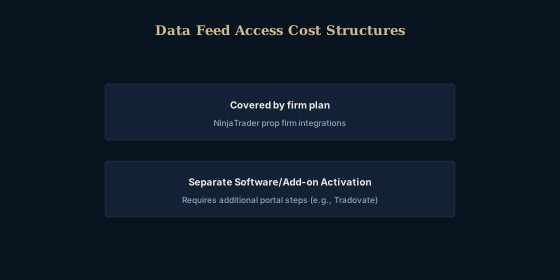
When evaluating an evaluation provider, traders must verify whether the required data connection is covered by the upfront fee or if it triggers recurring monthly billing. The presence of prop firm hidden fees tied to software routing or separate data charges can significantly alter the total cost of participating in a challenge. Traders should always read the provider's terms of service carefully to determine exactly which software licenses and market data feeds are included at no extra cost.
Frequently Asked Questions
TradingView's native broker connection supports creating and managing orders directly from Supercharts, which means the charting interface acts as the complete terminal for the entry, modification, and closure of simulated positions (TradingView Official, retrieved 2026-09-27).
What defines a true tradingview prop firm?
A true TradingView prop firm establishes a native connection between the charting software and the broker feed, enabling order execution directly from the chart without intermediary software.
How do you link a prop firm tradingview account?
My Funded Futures requires traders to activate the TradingView add-on in Tradovate before connecting through TradingView. The exact process varies by provider but typically requires authenticating brokerage credentials within the charting application itself.
Are there prop firms tradingview connections with no fees?
For supported NinjaTrader Prop firms, TradingView access for evaluation and prop accounts is included in the firm's plan rather than charged as a separate subscription.
What is a propfirm tradingview bridge?
A propfirm tradingview bridge refers to third-party software that transmits signals from TradingView charts into a separate broker terminal, whereas native integration routes orders directly from the chart interface to the execution server.
Can I manage trades directly on a prop firm tradingview chart?
TradingView's native broker connection supports creating and managing orders directly from Supercharts, allowing traders to adjust entry points, stop losses, and profit targets visually without opening a separate execution terminal.
Sources
- How it works | FTMO.com ftmo.com Retrieved 2026-09-27.
- Eightcap Added Support to Its Prop Trading Accounts to TradingView, Following FTMO's Lead financemagnates.com Retrieved 2026-09-27.
- Tradovate: Login Instructions | My Funded Futures Help Center help.myfundedfutures.com Retrieved 2026-09-27.
- Connect Your Prop Account to TradingView | Tradovate prop.tradovate.com Retrieved 2026-09-27.
- Trade Your Way on TradingView with 100+ Trusted Brokers tradingview.com Retrieved 2026-09-27.